Snod up your days.
Snod is one app with four small apps inside: Tasks, Calendar, Notes and Routines. They sit as tiles on a home screen you arrange yourself, share what they know, and keep working offline once you’ve signed in on that device. More small apps are on the way.
snod (rhymes with cod)
Scots for neat, trim and tidy. To snod up a room is to tidy it.
Every app is free for 14 days, no card needed. On an iPhone, open app.snod.app in Safari and add it to your Home Screen. On a computer, use it in Chrome or Edge. How to get Snod
- No ads
- Works offline
- Hosted in the EU
- Android, iPhone and computer

Four small apps to start. More on the way.
Each app does one job well, and they share what they know: tasks show up on your calendar, and notes link to the task they belong to. Pin them as tiles and arrange your home screen the way you like it.
-
Tasks
Get it out of your head.
Lists, due dates, priorities, repeating tasks and projects with steps, with quick add for when you’re in a hurry.
-
Calendar
Your week at a glance.
Day, week and month views, with your tasks alongside your plans, and repeating events that stay tidy.
-
Notes
Thoughts, kept where you’ll find them.
Headings, bold, checklists, pinning and search. Link a note to the task it belongs to.
-
Routines
Make good days repeatable.
Morning and evening routines, with streaks and gentle reminders that don’t nag.
On Android, put them on your phone’s home screen too: widgets for Tasks (as a list, a Board or a Matrix), Calendar (month or week), My day, a Notes checklist, Routines, the Focus timer and Quick add.
And that’s only the start. Snod grows one small app at a time, for productivity and the rest of life’s admin, and the people who use Snod help choose what comes next.
A wee haggis who keeps you company
Brae lives in Snod. On your phone he sits in the dock; on a laptop he wanders round your tiles. He tells you what's next, cheers when you finish a focus round, and has a nap when you're away.
- Never nags. Pick Playful, Calm or Minimal, or switch him off. Your reminders still arrive either way.
- Knows when to be quiet. Important things come plain: a reminder always says what it’s for and when, in plain English.
- A touch of Scotland. A wee bit of Scots now and then, never so much you need a dictionary.
 Hello
 All done
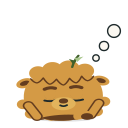 Having a nap
On your phone and your computer
One account, the same things everywhere, kept in sync. Brae comes along too. Every app is free for 14 days, no card needed.
- Android · Download Snod from snod.app and install it. It needs Android 7.0 or later, and tells you when there’s a new version. Or get it from Google Play. Download for Android
- iPhone · Open app.snod.app in Safari, press Share (can’t see it? press ••• first), then Add to Home Screen. Snod opens in its own window and works offline. It needs iOS 16.4 or later. Sign in with the code Snod emails you. How to add it
- Computer · Open app.snod.app in Chrome or Edge, sign in, and choose Install to keep it with your other apps. A wider home screen with room for more tiles, and Brae wanders round them. Open the web app
Testing Snod on Google Play? For the test, keep the copy from Google Play, so Google sees you testing.

Tidy on the outside, private on the inside
Snod is made to be calm and private: no ads, no tracking, and your things stay yours.
-
Works offline
Once you’ve signed in on a device, everything lives there first and syncs when you’re back online. No signal on the train? Carry on.
-
Private by design
No ads, no tracking, no selling your data, and nobody reads your notes.
-
Hosted in the EU
Your account and synced data live in Paris with Scaleway, a European cloud provider.
-
Yours to take away
Export everything whenever you like, or just your calendar, tasks or notes in files other apps can open. Delete your account and it’s really gone.
-
Calm, not clever
No feeds, no badges begging for attention, nothing you didn’t ask for. Just your things, in order.
-
Made in Edinburgh
Snod is made by one person in Edinburgh, Scotland. Write in, and the person who builds it reads every message.
Thank you, testers
Joining the testers’ thank-you closed on 17 November 2026. Testers who finish their 14 days with a place get Snod free until 31 March 2027, and nothing is charged when it ends. Testing Snod has the details.
Where Snod is heading
No dates for what’s next: each part comes when it’s ready.
-
28 October 2026
Out now
Tasks, Calendar, Notes and Routines, with Android home-screen widgets, Brae and the Focus timer. Download it for Android, or use the web app on an iPhone or a computer.
-
17 November 2026
Snod 1.0.0
On Google Play for everyone. Your other calendars inside Snod on Android, and bringing things in from other apps. Every app is free for 14 days, no card needed.
-
Later
More small apps
New small apps, one at a time, chosen with the people who use Snod.
Good to know
How do you say “Snod”?
It rhymes with “cod”. It’s an old Scots word meaning neat, trim and tidy, and to snod up a room is to tidy it. That’s the whole idea.
When can I use it?
Now. Snod came out on 28 October 2026, and Snod 1.0.0 in November 2026. Download it for Android from snod.app, or use the web app at app.snod.app on an iPhone or a computer.
Can I use it on my laptop?
Yes. Snod also works in a computer's browser (Chrome or Edge) at app.snod.app, with the same account as your phone, and installs like an app.
Is there an iPhone app?
Yes, as a home-screen app: open app.snod.app in Safari, press Share (can’t see it? press ••• first), then Add to Home Screen. It needs iOS 16.4 or later, and you sign in with a code Snod emails you. There’s no App Store app.
Is Snod on Google Play?
Yes, on Google Play. The download from snod.app is the same app, and you can switch between them without losing anything.
Can I bring my things from Google Tasks or Calendar?
Yes. Bring things in, in Settings → Data and privacy, brings in your tasks from Google Tasks or Todoist, and events from calendar (.ics) files. On Android, Linked calendars shows your Google, Outlook or Apple calendar inside Snod, to read alongside your own (you change them in their own app). Moving from Google Tasks and Calendar shows how. Export works the other way too: your calendar, tasks and notes can go to other apps whenever you like.
What can’t Snod do yet?
It doesn’t share with other people or encrypt end to end, and it shows your other calendars without changing them, on Android only. What Snod doesn’t do yet says what to do instead today.
Will it cost anything?
Every app is free for 14 days, with no card. Your 14 days start when you sign up, or started on 19 November 2026 if you already had an account. After that, a plan is £3.69 a month or £29.99 a year in the UK. Anyone who subscribes by 31 January 2027 pays a founding price, £2.99 a month or £24.99 a year in the UK, for as long as they stay subscribed. Nothing is charged unless you choose a plan. There are no ads, and your data is never sold. Plans and pricing has the details, including what happens if you don’t choose a plan.
Can I help test it?
Joining closed on 17 November 2026. The test runs on until everyone with a place has had their 14 days, and a place someone doesn’t finish still goes to the next person on the waiting list. Testing Snod has the details.
Will there be more apps?
Yes. Snod grows one small app at a time, for productivity and the rest of life’s admin. The people who use Snod help choose what comes next, so tell us what you’d like at hello@snod.app.
Which countries?
Snod is for people in most countries: Countries lists where you can subscribe.
Who’s behind Snod?
One person in Edinburgh, Scotland. Follow Snod on Instagram or TikTok, or say hello at hello@snod.app.
Follow along
Follow Snod for build updates, tips and the odd haggis. Followers hear first about new features and new apps.