Brae and the Focus timer
Updated 11 October 2026
Brae is a wee haggis who keeps an eye on your day. The Focus timer helps you work in short, steady rounds. Both are yours to set up, or to leave out.
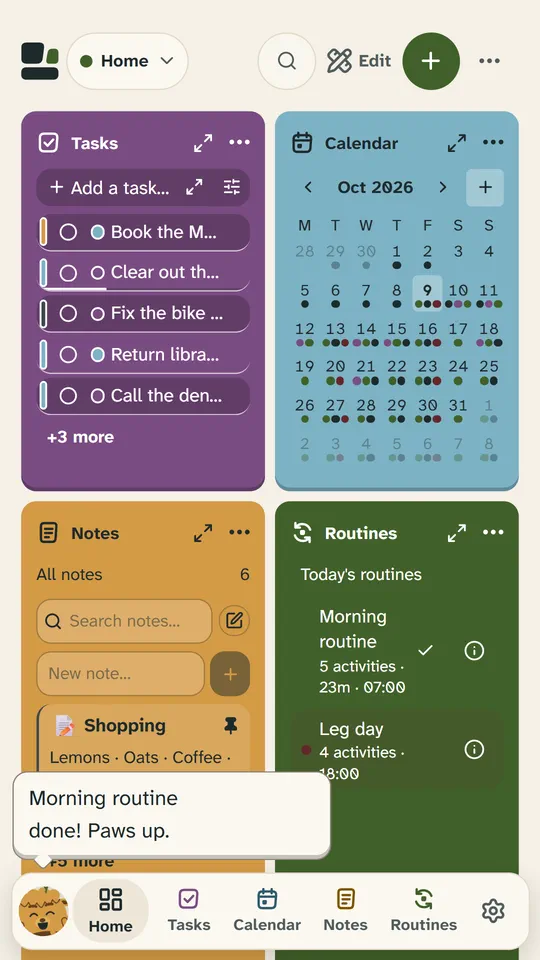
What Brae does
On a phone Brae lives in the dock; on a tablet or computer, on the home screen beside your tiles. He passes on your reminders, mentions what’s due, cheers when you finish something, and has a nap when nothing much is happening.
Press Brae for his sheet: today in one line, a Focus round, a one-minute breathing reset, and Lately, the last few things he said. Press one of his speech bubbles to open what it’s about.
How do I change how Brae behaves?
Everything is in Settings → Notifications and Brae:
- Personality: Calm (the default) speaks when it matters; Playful is chattier and says hello too; Minimal speaks only for reminders.
- How often it speaks: Rarely, Sometimes or Often.
- What it reacts to: events, Focus and breaks, tasks, routines, greetings and bedtime.
- Quiet hours: only time-critical reminders speak; everything else waits until they end.
- Brae’s Scots: A wee bit (the default) or Plenty. Reminders and notifications always stay in plain English.
You can give him another name there too, and a home-screen profile can have its own Brae (Edit profiles): another personality, or none at all.
How do I turn Brae off?
Settings → Notifications and Brae → Companion: switch it off. Your reminders still arrive, as plain cards in Snod and as notifications: Brae never stands between you and a reminder. To switch him off on just one home-screen profile, use Edit profiles instead.
Reminders on your phone
In the Android app, event reminders, routine reminders and the end of a Focus round reach you even with Snod closed, once you allow notifications. Snod asks the first time they would help, never as soon as it opens. At the top of Settings → Notifications and Brae, Phone notifications and On-time reminders each say On or Off, with Turn on.
Other things Brae would mention reach your phone only in the Daily summary, if you switch it on: Morning (about today) or Evening (about tomorrow). Not getting reminders? See Troubleshooting.
On a computer, reminders come as desktop notifications while Snod is open but not in front: switch on Desktop notifications on the same page.
The Focus timer
The Focus timer is a tile: press + at the top of the home screen and choose it. Start focus runs a 25-minute round with a 5-minute break after it. 50 and 10, or lengths of your own, are in its ⋯ → Tile settings, with Long break: a 15-minute break after every fourth round.
Pick a task and the round is for it; at the end, Mark done or Keep going. When a round or a break ends the tile chimes (and the phone vibrates), and a running round shows on all your devices. Brae’s sheet can start a round too.